How can we help?

How do I import leads into Propwise?
Updated Jun 4, 20265 min read
You can import leads into Propwise using a CSV, XLS, or XLSX file. The import flow helps your team upload lead data, map fields, validate missing information, and add clean records into the right workspace, team, or lead pool.
1. Prepare your file
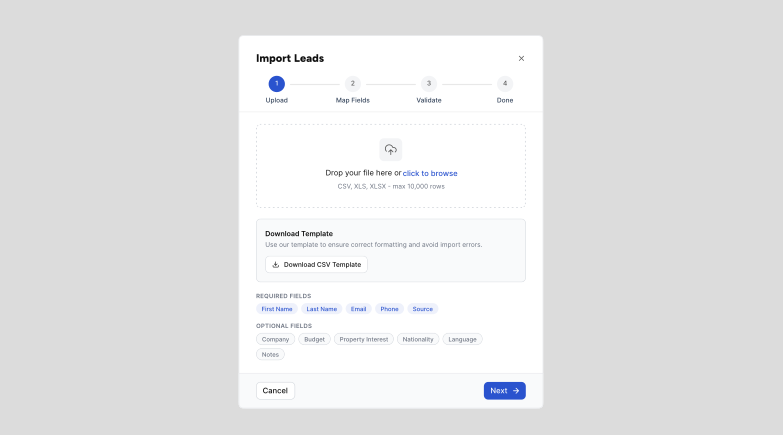
Before uploading, make sure your file includes the required lead information. This helps Propwise create complete records and reduce import errors.
Required fields:
- First Name
- Last Name
- Phone
- Source
2. Start the import
Go to the Leads page and select Import. Upload your CSV, XLS, or XLSX file from the import modal.
Supported file types:
- CSV
- XLS
- XLSX
If your team imports leads regularly, create a standard spreadsheet format and reuse the same column names each time. This keeps imports faster, cleaner, and easier to validate.
3. Map your fields
Match each column in your file to a Propwise lead field. Required fields must be mapped before you can continue.
4. Import and complete
Review the validation summary, fix any flagged rows, and confirm to add the leads to your selected workspace, team, or lead pool.
Was this helpful?
Let us know if this answered your question.